Showing posts with label Tools. Show all posts

Add Screenshot to outlook message

By With No comments:

You can add a quick way to add screen shot to you email messages with this tip.

One more way to save a few seconds.
image
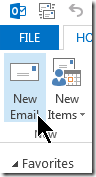
Click “New Mail” button to compoase a new email message, as you normally would to start an email.

Go to the “Insert” ribbon

image

Right click on the “Screenshot” button

select “Add to Quick Access tool bar”

image

Now you got a Quick way to add a screen shot to your email.

It even shows you a thumbnail of every window that is open and visible in your desktop,

so you do not have to leave your email to go get the screen shot.

image


Save disk space by reducing disk space usage on a mac ox X

By With No comments:
One constant annoyance i have to face with a 250 GB (Actually 240 GB) drive is that often i have to decide what to keep in the macbook and what not to. Over 10 years with mac systems i have come to realize that buying more storage would have been actually better idea in the short term. Long term i needed a plan. That looks like this.


1. Look at your Downloads folder - good chance that you have several GB worth of stuff sitting there.


Interesting links to look at:
http://apple.stackexchange.com/questions/48919/reducing-lion-os-footprint-by-removing-unnecessary-files-folders

Applications considered:
http://whatsizemac.com/

https://ingmarstein.github.io/Monolingual/index.html
http://www.bresink.com/osx/TinkerToolSys2.html

Diagraming tool online draw.io

By With No comments:

Unlike the Pencil tool <linke to the post here>, draw.io is available online, free and quite robust in terms of features.
https://www.draw.io/
i did some research to verify if it will be around for some time. looks like it will be. read at below link.
http://forum.jgraph.com/questions/4323/is-draw-io-here-to-stay-how-come-it-s-free-and-will-it-stay-free