Showing posts with label Guide. Show all posts

Add Screenshot to outlook message

By With No comments:

You can add a quick way to add screen shot to you email messages with this tip.

One more way to save a few seconds.
image
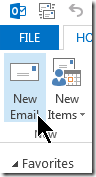
Click “New Mail” button to compoase a new email message, as you normally would to start an email.

Go to the “Insert” ribbon

image

Right click on the “Screenshot” button

select “Add to Quick Access tool bar”

image

Now you got a Quick way to add a screen shot to your email.

It even shows you a thumbnail of every window that is open and visible in your desktop,

so you do not have to leave your email to go get the screen shot.

image


iPhone - Email Signatures - How to and what to

By With No comments:
Should you change it at all? Yes

Why should you change it?
 because, it's projects an unfavorable image about you. Read below for details.


Attribute brevity to mobile 
This is by far the best email signature i have seen.
There are tons of other that range from sarcasm, funny, apologetic to outright rude ones.

It's personal choice. hey, so is being civil and sensible in public. you choose.

a Quick analysis of these here.

Default message that your phone / tablet came with:
This is mostly an unpaid ad for your device's manufacturer than anything to do with you.
some might see it as a being flashy.